
Nine quiet things
it does well.
Markdown that breathes
Rebuilt on the Textual rendering engine. Headings, tables, nested lists and blockquotes are typeset, not just displayed. Streaming updates land without layout flicker.
One-click code copy
Every fenced block carries its own clipboard button. Grab a command, a config, or a snippet without touching your prompt history.
OpenAI Responses API
Full SSE streaming with reasoning output. Chat Completions and Responses are clear model-level endpoint choices inside the OpenAI-compatible family.
DeepSeek deepthink
Models stream their chain of thought into a collapsible section above the answer. Read it, ignore it, fold it away — your call.
Claude Messages, natively
Claude uses Anthropic's native request schema, authentication headers, image blocks, and text/thinking SSE events — no OpenAI-shaped proxy required.
Persistent sessions
Multiple chats, each with its own model and history. Pick up the conversation that was interrupted last Tuesday, not a fresh prompt every time.
Stop, without loss
Hit ⎋ mid-stream and the partial response is preserved exactly as it landed. The streaming indicator goes away; your context doesn't.
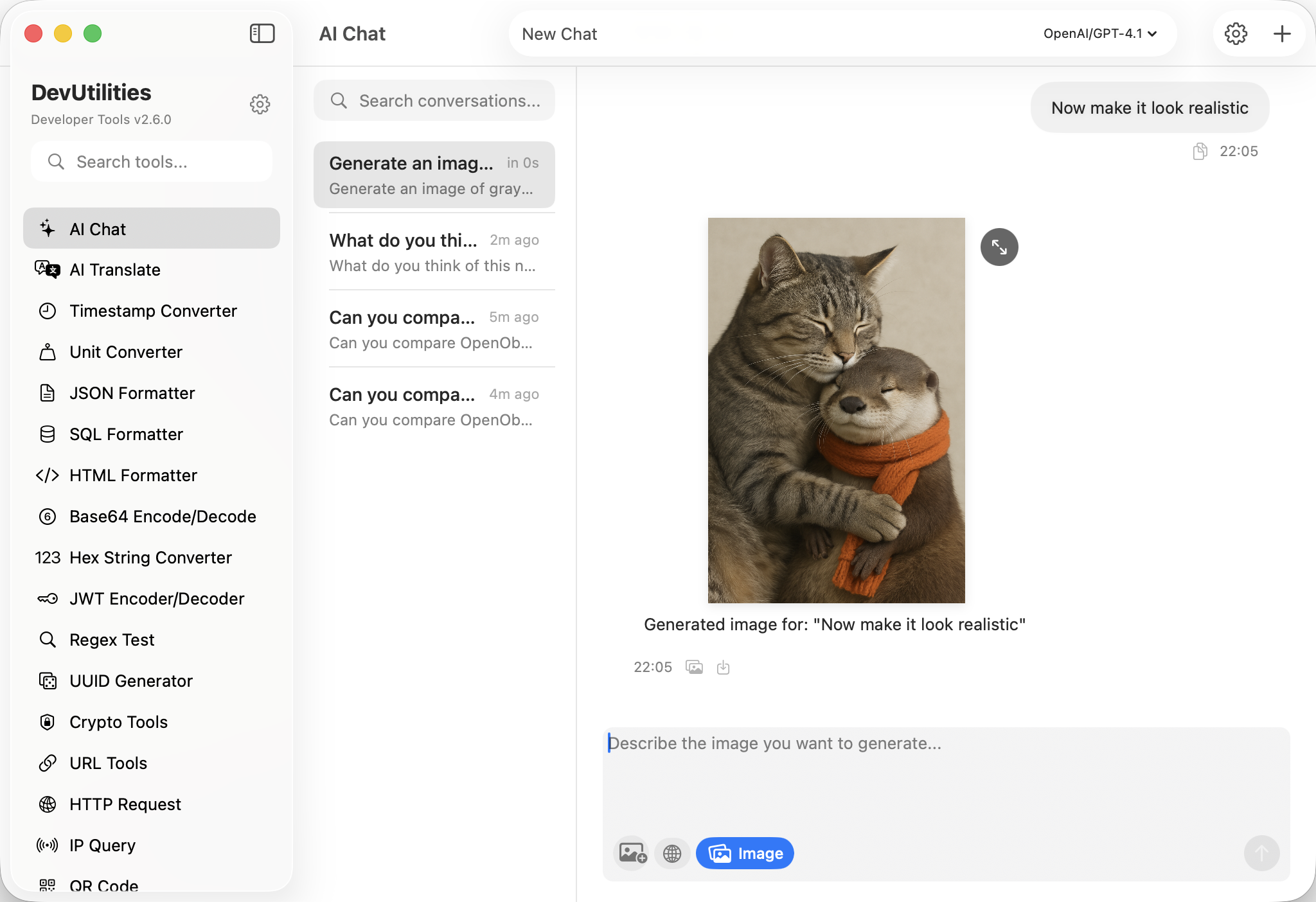
Image generation
Generate diagrams and visual references through the Responses API, refined turn by turn — the conversation context comes with you.
Web search, when asked
Optional real-time search for fresh documentation and current best practice. Off by default; opt in per session, never silently.
Four moves from prompt to paste.
Pick a model
Choose a preset for OpenAI, DeepSeek, Qwen, Kimi, GLM, Gemini, or Anthropic; then add your key and model ID.
Ask the question
Type, paste a stack trace, or drop in a code block. Reasoning models stream their thinking first, in a panel you can fold.
Take the code
Every fenced block has its own copy button. The last block is one shortcut away — no selection, no scroll-back.
Keep going
The thread persists across launches with its model and history intact. Start a new session for a new line of work; the old one is still on disk.
The work it actually does.
Not generic chat — developer chat.
Code reads & second opinions
Paste a function, ask for a critique. The Markdown renderer keeps diffs, lists, and fenced suggestions intact instead of mashing them into prose.
Stack traces, line by line
Drop the error, attach the relevant block, walk the cause. Reasoning models surface their hypothesis path before the fix lands.
Design conversations
Trade-offs, patterns, the boring questions that decide a system. Persistent sessions mean tomorrow's thread can pick up today's context.
Concept explanations
From a half-understood paper to working examples. Fold the deepthink panel away once the answer clicks; reopen it later if you need to retrace.
Profile-shaped questions
Bring numbers, get specific suggestions. The assistant doesn't guess at hot paths it can't see — it asks for the data, then proposes.
Threat models & review
Walk an auth flow, audit a snippet, reason about a CVE. Web search is opt-in for when documentation needs to be current, not stale.
Things people ask before they download.
What's new in v2.16?
Provider setup now exposes two protocol families. AI Chat and AI Translate share one router, Claude uses native Anthropic Messages, and existing OpenAI/Responses settings migrate automatically.
Which models are supported?
Presets cover GPT-5.6 Sol/Terra/Luna, DeepSeek V4, Qwen 3.8/3.7, Kimi K3, GLM 5.2, Gemini 3.6 Flash, and Claude Fable/Opus/Sonnet 5. You can also add a custom endpoint implementing OpenAI Chat Completions/Responses or Anthropic Messages.
How does the copy button work?
Every fenced code block in the response renders with a copy button in its top-right corner. Click it; the entire snippet is on your clipboard. ⌘ ⇧ C grabs the most recent block from anywhere in the chat.
What is the OpenAI Responses API?
OpenAI's newer endpoint is required by some models and powers OpenAI-native web and image tools. Select Responses as the model's Chat Endpoint; it remains part of the OpenAI-compatible provider family.
How does DeepSeek reasoning surface in the UI?
DeepSeek v4-pro streams its chain of thought as a collapsible panel above the final answer. The panel opens by default; collapse it from the brain icon. The same panel is used for any Responses-API model that exposes thinking output.
Is conversation history saved?
Yes. Each chat session is persisted on disk, with its own model selection and history. Sessions survive launches, updates, and the rest. Delete a session and its history goes with it.
How do I stop a streaming response?
The stop button cancels the request immediately. Anything the model has already produced is preserved as-is — the streaming indicator is removed and the partial response stays in the thread.
Where do my API keys live?
In macOS UserDefaults on your machine. Keys never reach our servers — there are no servers. The chat goes directly from DevUtilities to the endpoint you configured. See the privacy policy for the full picture.