
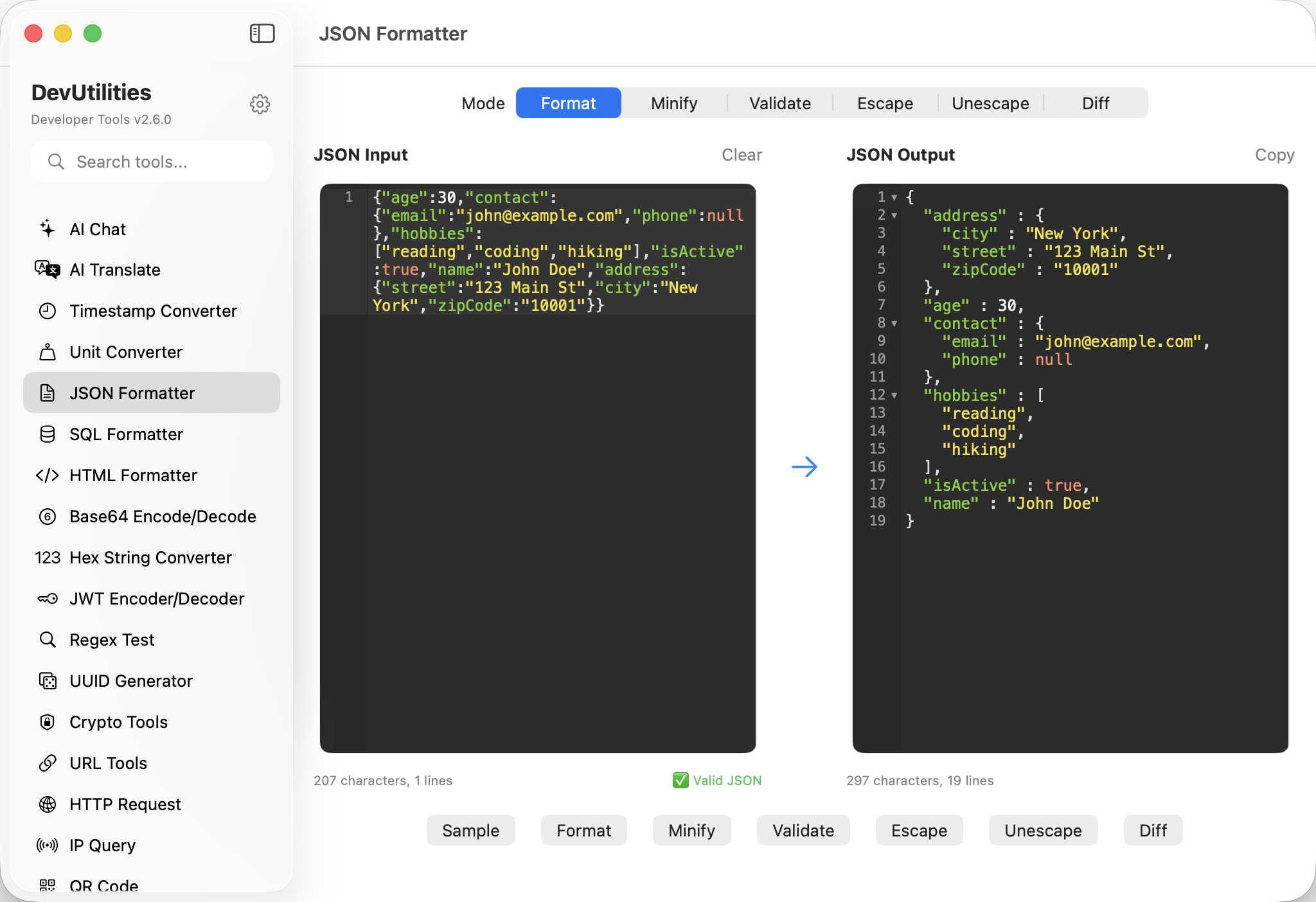
Eight things it does precisely.
Format with intent
Pretty-print with two-space, four-space, or tab indentation. Sort keys when you want a stable diff.
Validation that points
Errors land with a line number and a useful message — not "unexpected token" with a shrug.
Side-by-side diff
CodeMirror diff editor. Additions, removals, and changes highlighted; a status strip says "same" or "different".
Escape / unescape
Wrap a JSON document into a string literal, or peel one out of an embedded string. The escape modes round-trip cleanly.
Minify
Strip whitespace, preserve precision. The output is a single line, ready to embed.
Character & line metrics
Both sides of the diff display character and line counts — useful when comparing payload sizes.
Auto-format on diff
Diff mode automatically formats both sides, so cosmetic differences don't masquerade as real ones.
State persistence
The text in both sides survives across sessions. Yesterday's compare is still where you left it.
Four moves from string to structure.
Paste payload
From a network panel, a log, or a curl. Format mode receives it raw.
Format or validate
Pretty-print to read; validate to confirm. Errors point at the line that broke.
Switch to diff
Compare two payloads. Both sides auto-format; the editor highlights what moved.
Copy or escape
Copy the formatted output, or escape it into a string for an embedded fixture.
The work it actually does.
Response inspection
Pretty-print a deeply nested response so the structure is actually legible.
Drift detection
Two responses, ten changes — the diff editor names them. Status flips to "different" the moment they part.
Test data
Format your fixture; escape it into a string literal for the test source.
Validation
Catch a stray comma in a config file before it crashes the build.
Embedded JSON
Unescape the JSON-in-a-string format favoured by some loggers; format the result.
PR-style compare
Drop two payloads into the diff editor and discuss the change in chat.
Things people ask before they download.
What does diff mode actually compare?
Both sides are auto-formatted first — same indentation, sorted keys if you choose — so cosmetic differences don't pollute the result. Then a side-by-side diff highlights real changes.
Does formatting preserve number precision?
Yes. The internal representation handles large integers and high-precision floats. Round-trip is loss-free.
How does validation report errors?
Line and column, with a message that names the problem (unexpected token, missing quote, trailing comma, and so on).
Can I sort object keys?
Yes. A toggle sorts keys alphabetically — useful when stabilising a diff.
Does escape produce a JSON string literal?
Yes. Escape mode wraps a JSON document into a JSON string literal you can embed; unescape reverses the process cleanly.
Does this require network access?
No. Formatting, validation, escaping, and diffing are all local.