
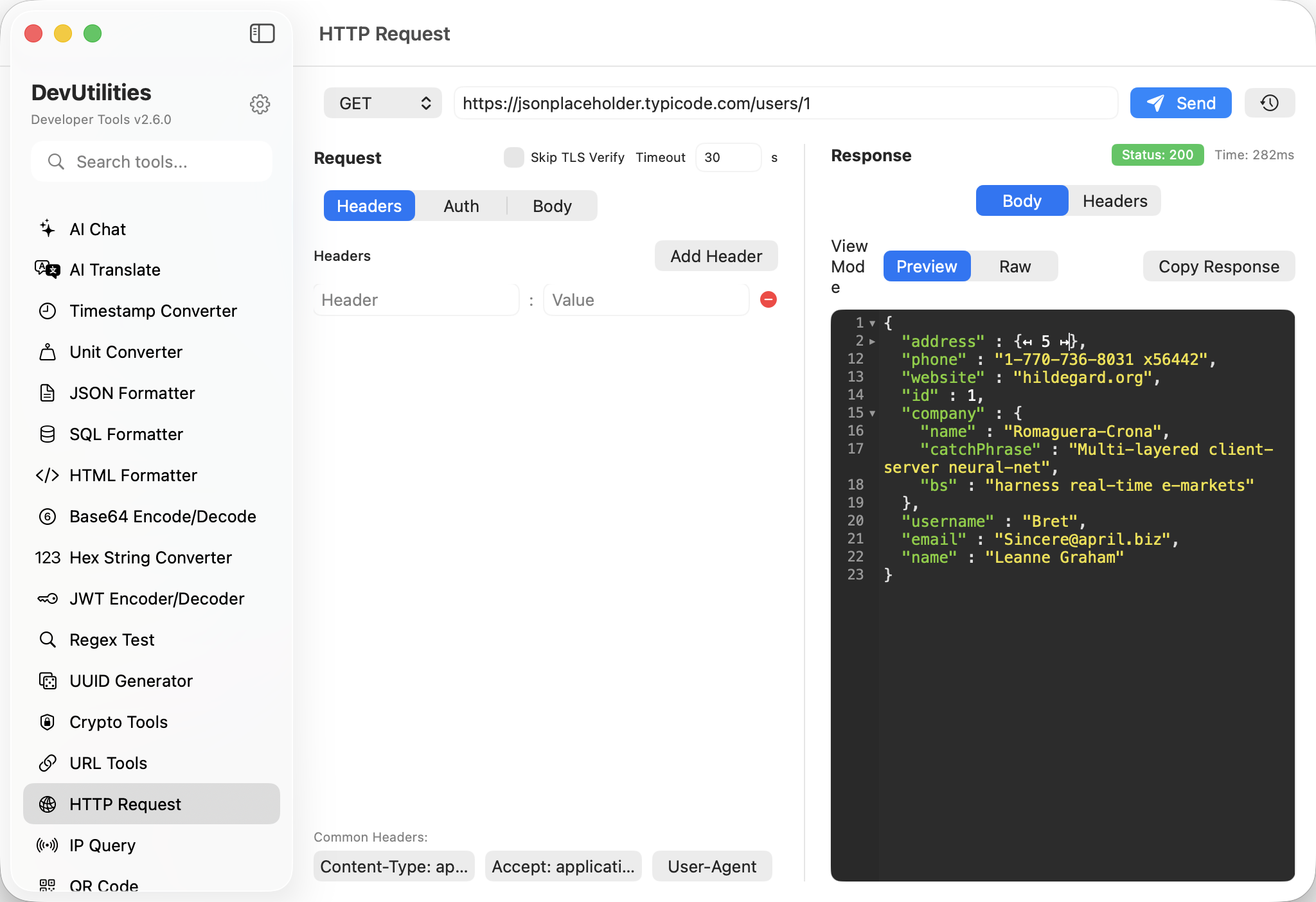
Eight things it does properly.
All common methods
GET, POST, PUT, PATCH, DELETE, HEAD, OPTIONS. Custom methods welcome.
Headers panel
Add / remove / toggle headers. Common ones autocomplete.
Body shapes
JSON, form, raw text, binary. The body pane formats and validates as you type.
Auth helpers
Bearer tokens, Basic auth, custom Authorization shapes — all without copy-pasting from the JWT tab.
SSE streaming
Server-sent events stream into the response pane as they arrive. Useful for AI APIs and event endpoints.
JSON tree view
JSON responses render as an explorable tree with type badges; collapse / expand / copy a sub-tree.
Response timings
Status, total time, body size — all reported clearly. The slow request shows up as the slow request.
History & recall
Recent requests persist across sessions. Re-issue with one click.
Four moves through the request loop.
Pick method & URL
GET, POST, anything else. Type or paste the URL.
Add headers and body
Auth, content type, payload — three panels, no surprises.
Send
Hit send; the response pane fills. Streams keep flowing as data arrives.
Read & reuse
JSON tree expands; raw view scrolls; copy any value, or recall the request later from history.
The work it actually does.
Sanity checks
Hit the endpoint your app talks to; verify the contract before chasing a bug into the codebase.
Mock probing
Talk to your local server while it's still mocked; switch to staging without leaving the panel.
Header tracing
Inspect what your server is actually sending — caching headers, content type, set-cookie — in one view.
SSE endpoints
Watch events flow from an LLM endpoint or an event broker; copy any piece of the stream.
Token testing
Issue a JWT in the JWT tool; paste into the auth helper here; check what the server returns.
Reproducible recipes
Save the working request to history; reissue when documentation needs an example.
Things people ask before they download.
Does it stream?
Yes. SSE responses stream into the response pane as data arrives. The pane keeps growing; you can copy intermediate values.
What auth methods are supported?
Bearer tokens, Basic, and custom Authorization headers. For OAuth flows, paste the bearer token directly.
Can I save a request for later?
Yes. Recent requests persist across sessions in the history panel. One click to recall and re-send.
Does it handle binary?
Yes — both for upload bodies and download responses. Binary downloads can be saved to disk.
What about cookies?
The client respects the standard Cookie / Set-Cookie exchange. Cookies aren't persisted across sessions for safety.
Where do request bodies live?
Locally, in your session. Nothing is uploaded anywhere except the URL you choose to hit.