
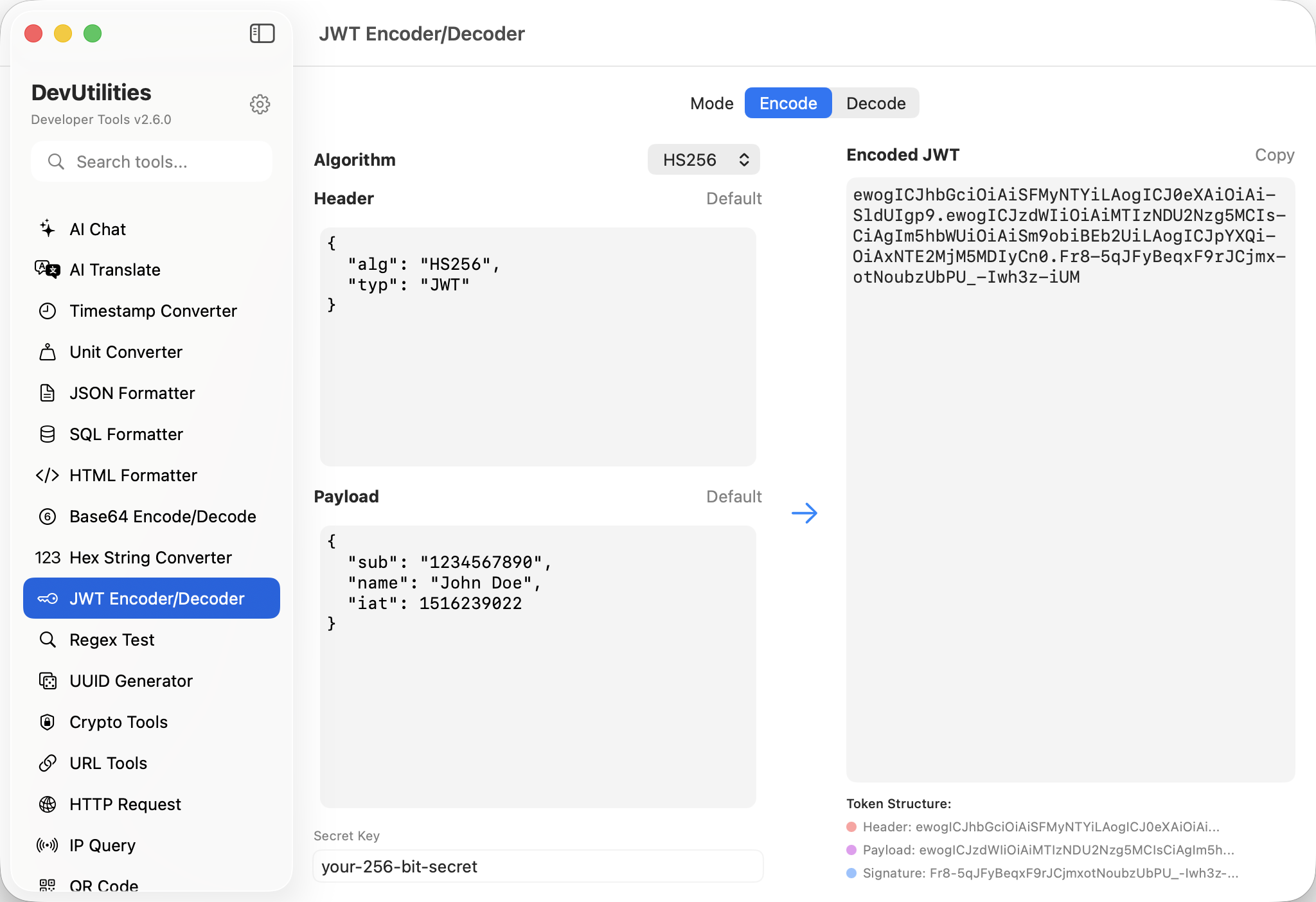
Seven things it does carefully.
HMAC algorithms
HS256, HS384, HS512 — backed by CryptoKit. Sign and verify with a shared secret.
RSA algorithms
RS256, RS384, RS512 — backed by the Security framework. PEM-formatted keys, sign with private, verify with public.
Adaptive UI
The interface morphs based on algorithm — secret-key field for HMAC, public/private key fields for RSA.
Auto-detect on decode
Paste a token; the algorithm is read from the header and the right inputs appear.
Header / payload / signature
Three panes, each clearly labelled. Edit any of them; encode rebuilds the token.
Sample keys
Paste a token without a key and the sample RSA pair fills in — useful for sanity-checking decoding.
Verify status
Decoded tokens show a clear "verified" / "invalid signature" badge; valid tokens get a green tick.
Four moves around a JWT.
Pick algorithm
HMAC for shared-secret tokens, RSA for asymmetric. Or paste a token and let the header tell us.
Provide a key
HMAC: a secret string. RSA: a PEM-formatted key. The fields adapt as the algorithm changes.
Encode or decode
Edit the header / payload to encode; paste a token to decode.
Read the verdict
"Verified" or "Invalid signature" — clearly displayed. Copy the token or the claims.
The work it actually does.
Inspecting tokens
Decode a JWT from a request header and read the claims without trusting an online tool with your secret.
Token generation
Sign a fresh token with a known key for testing flows that require specific claims.
Verification
Confirm a token was issued by the expected key. Mismatches are flagged immediately.
Header inspection
Read kid, typ, and alg headers when integrating with multiple identity providers.
HMAC ↔ RSA
Re-issue a token under a different algorithm when migrating signing infrastructure.
Fixture tokens
Generate canonical tokens for unit and integration tests, with controlled expiration claims.
Things people ask before they download.
Which algorithms are supported?
HS256, HS384, HS512 (HMAC); RS256, RS384, RS512 (RSA). Six in total, covering the bulk of real-world JWT usage.
How are RSA keys provided?
As PEM-formatted public and private keys. The tool ships with a sample pair; replace them with your own when signing real tokens.
Where does the cryptography come from?
Apple's first-party frameworks. CryptoKit handles HMAC; the Security framework handles RSA key import and signing.
Is the secret key stored?
Only in your local session, so the panel restores after relaunch. Keys never leave your machine; the tool makes no network calls.
Does it verify expiration claims?
The tool decodes exp, iat, and nbf as readable timestamps. Whether the token is currently valid is up to your context.
What happens when the signature is wrong?
The status badge shows "Invalid signature"; the decoded claims are still visible so you can see what was attempted.
Does this require network access?
No. JWT encode/decode is fully local.