
Color Picker Professional Color Format Converter

Convert between HEX, RGB, RGBA, HSL, HSLA, HSB, and CMYK color formats with our professional color picker. Features real-time conversion, visual color preview, and color history tracking. Perfect for designers, web developers, and anyone working with colors.

🎨 7 Color Formats
Real-time Conversion
🕐 Color History
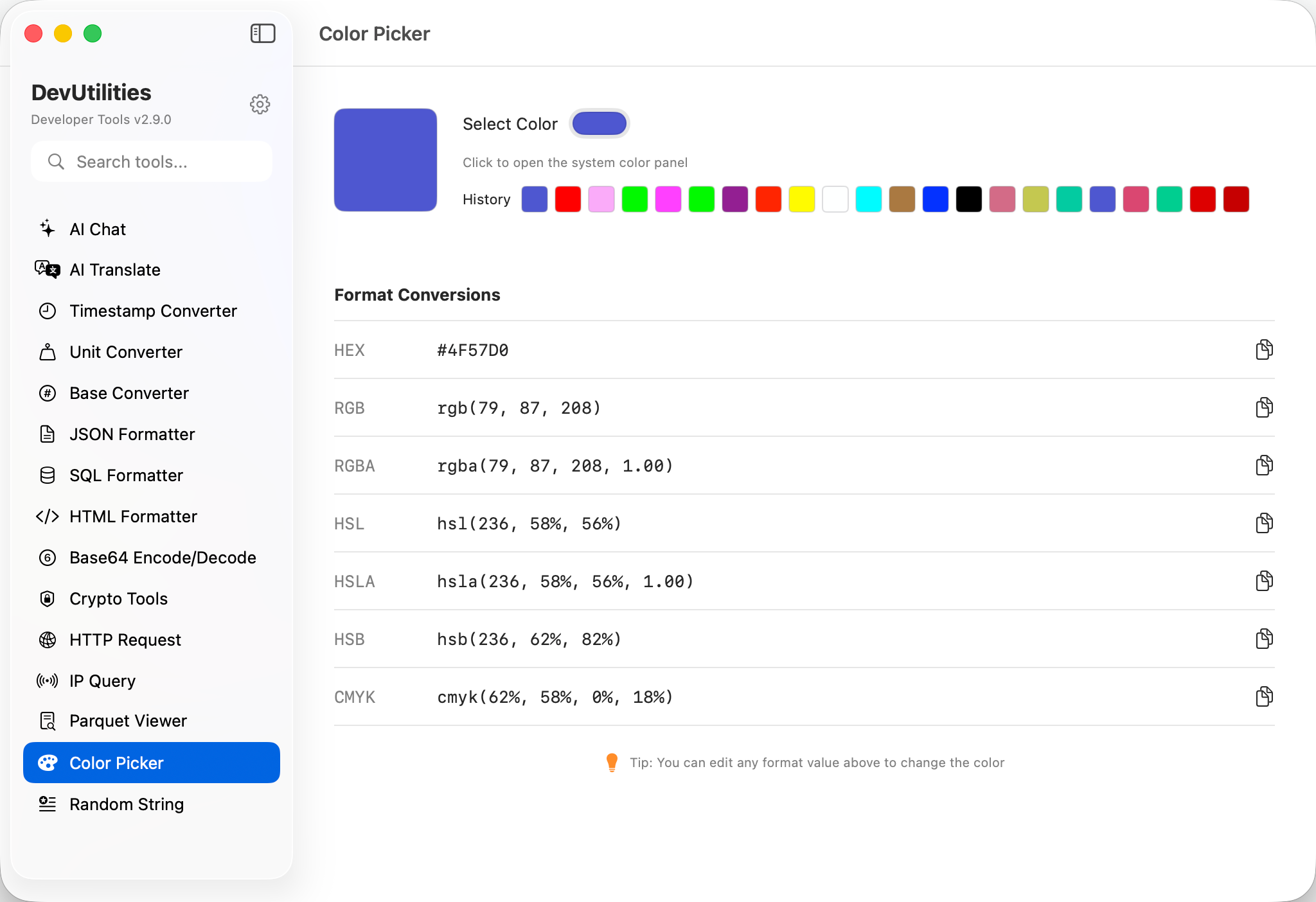
DevUtilities Color Picker Screenshot showing color format conversion

Comprehensive Color Conversion Features

Everything you need for professional color format conversion, built into a native macOS application.

Real-time Conversion

Edit any color format field and watch all other formats update instantly. Custom color space conversion algorithms ensure accurate color representation across all formats.

🖼️

Visual Color Preview

Large 80x80pt color preview box with rounded corners. Integrates with macOS system color panel for precise color selection using native color picker tools.

🕐

Color History

Automatically tracks up to 22 previously selected colors with visual 20x20pt swatches. Click any history color to instantly load it into the picker.

✏️

Editable Format Fields

Direct editing of any color format with regex-based validation. Supports various input patterns like rgb(r,g,b), #RRGGBB, hsl(h,s%,l%), and more.

📋

Copy to Clipboard

One-click copy button next to each color format value. Quickly copy HEX codes, RGB values, or any other format to use in your design tools or code.

💾

State Persistence

Automatically saves your last selected color and entire color history between sessions using UserDefaults. Pick up right where you left off.

🎯

Accurate Conversions

Custom color space conversion algorithms for RGB↔HSL, RGB↔HSB, and RGB↔CMYK ensure accurate color representation across all formats with proper edge case handling.

How to Use Color Picker

Get started with professional color format conversion in just a few simple steps.

1

Select Your Color

Click the "Select Color" button to open macOS system color panel, or click any color from your history to reuse a previous selection.

2

View All Formats

Instantly see your selected color represented in all 7 formats: HEX, RGB, RGBA, HSL, HSLA, HSB, and CMYK with accurate conversion.

3

Edit Any Format

Type directly into any format field to update the color. All other formats will automatically update to reflect your changes in real-time.

4

Copy & Use

Click the copy button next to any format to copy it to your clipboard, then paste it directly into your design tools, CSS, or code editor.

Perfect for These Design & Development Tasks

🎨

Web Development

Convert colors between CSS formats (HEX, RGB, RGBA, HSL, HSLA). Perfect for building websites and web applications with consistent color schemes.

🖼️

UI/UX Design

Work with design tools that require different color formats. Convert between HEX for Figma, RGB for Photoshop, or HSL for CSS with ease.

📱

Mobile App Development

Convert colors for iOS (RGB/HSB), Android (HEX/ARGB), or cross-platform frameworks. Ensure consistent branding across all platforms.

🖨️

Print Design

Convert between screen colors (RGB/HEX) and print colors (CMYK) for materials that need to look great both digitally and in print.

🎭

Brand Guidelines

Document brand colors in multiple formats for different use cases. Provide HEX for web, RGB for digital, and CMYK for print materials.

🔧

Color Accessibility

Adjust HSL lightness/saturation or HSB brightness values to create accessible color variations that meet WCAG contrast requirements.

Frequently Asked Questions

What color formats are supported?

DevUtilities Color Picker supports 7 professional color formats: HEX (#RRGGBB and #RRGGBBAA with alpha), RGB (0-255 range), RGBA (with alpha 0-1), HSL (hue, saturation, lightness), HSLA (with alpha), HSB/HSV (hue, saturation, brightness), and CMYK (for print design).

How does the color history work?

The Color Picker automatically saves up to 22 of your most recently selected colors. Each color is displayed as a small visual swatch that you can click to quickly reload that color. The history persists between app sessions.

Can I edit color values directly?

Yes! You can type directly into any color format field. The Color Picker uses regex-based validation to parse your input and instantly updates all other format fields to reflect your changes. This is perfect for quickly adjusting specific color values.

What's the difference between HSL and HSB?

HSL (Hue, Saturation, Lightness) and HSB/HSV (Hue, Saturation, Brightness/Value) are two different color space representations. HSL uses lightness (0% = black, 50% = pure color, 100% = white), while HSB uses brightness (0% = black, 100% = pure color). Both are useful for different color manipulation tasks.

Is the CMYK conversion accurate for print?

The CMYK conversion uses standard color space algorithms to convert from RGB. While suitable for most design work, professional print production may require ICC color profile conversions for exact color matching on specific printers and paper types.

What other tools are included with DevUtilities?

DevUtilities includes 19 other essential developer tools: AI Chat, AI Translate, Timestamp Converter, Unit Converter, Base Converter, JSON Formatter, Base64 Encoder, Hex String Converter, Regex Tester, UUID Generator, URL Tools, HTTP Client, IP Query, QR Code Generator, SQL Formatter, HTML Formatter, JWT Encoder, Parquet Viewer, and Crypto Tools.

Ready to Streamline Your Color Workflow?

Join thousands of designers and developers who rely on DevUtilities's Color Picker for their daily color conversion tasks.

Download Download DevUtilities
✓ macOS 14.0+ ✓ 20 Developer Tools