
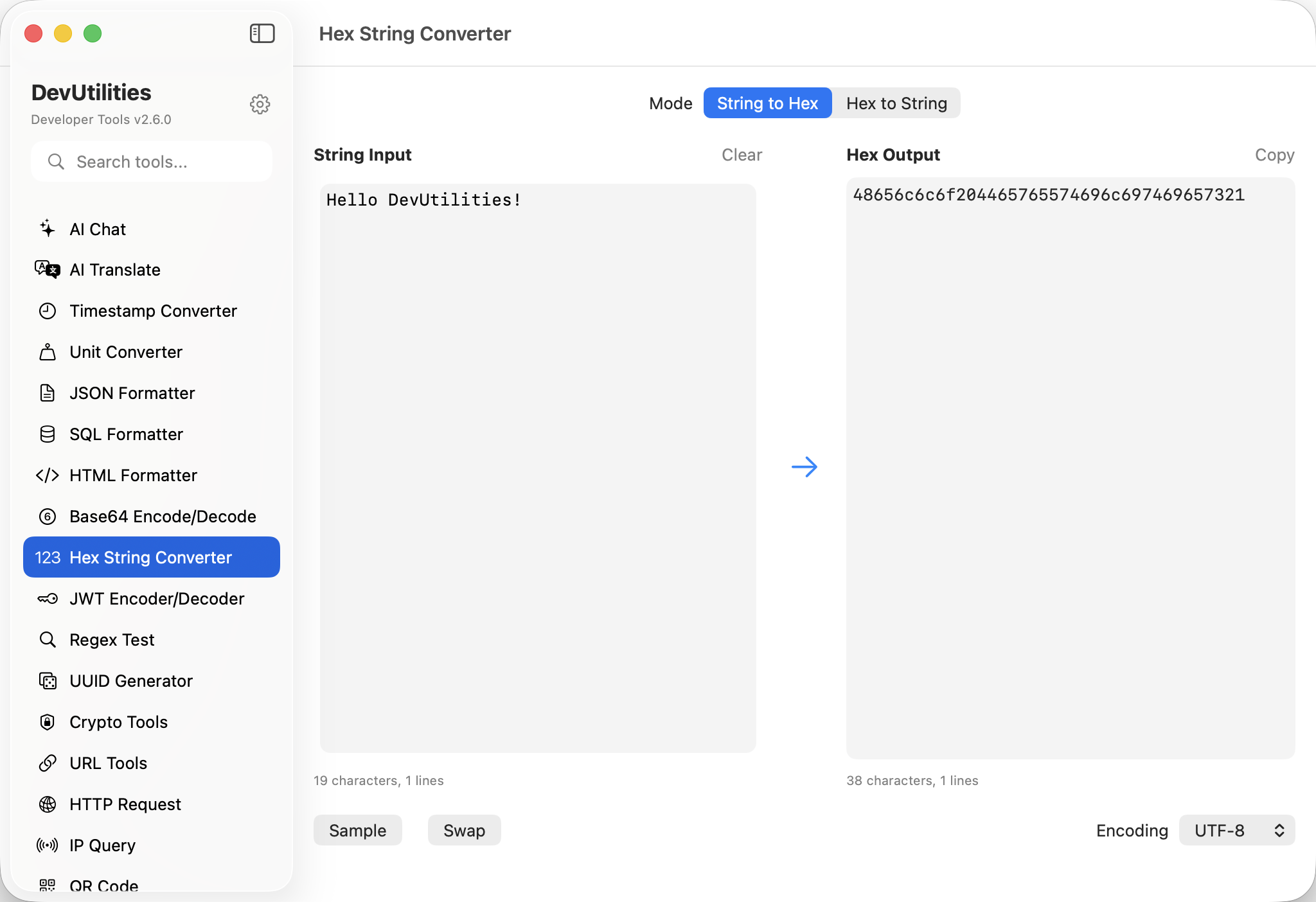
Six things it does well.
Hex to string
Paste raw hex bytes, see the decoded text in your chosen encoding. Spaces and dashes between bytes ignored.
String to hex
Type or paste text; get the hex byte sequence in the encoding you specified.
UTF-8 / UTF-16 / ASCII
Pick the encoding that matches your data. Non-ASCII characters round-trip cleanly under the right encoding.
Real-time conversion
Type, see results instantly. Both panels update as you key.
Tolerant input
Hex input accepts spaces, dashes, mixed case, and the 0x prefix. Whitespace is silent; everything else surfaces an error.
One-click copy
Copy buttons on both panels. Hex without spaces, or text alone — your call.
Four moves between bytes and text.
Pick the encoding
UTF-8 by default. Switch to UTF-16 for Windows-flavoured payloads or ASCII for old wire protocols.
Paste hex or text
Drop bytes from a hex dump or plain text. Both panels are bidirectional.
Read the conversion
Live update on the opposite side. Errors surface inline if the hex is malformed.
Copy
One-click copy for the side you wanted.
The work it actually does.
Hex dumps
Decode strings buried in xxd output without leaving the editor.
Wire-level inspection
Translate ASCII control sequences and binary frames between text and bytes.
Payload analysis
Inspect the strings hidden inside hex-encoded blobs from logs, samples, or packet captures.
UTF-8 vs UTF-16
Compare how the same text serialises under different encodings — visible byte-by-byte.
Fixture generation
Produce hex test inputs from a clean string spec, exact and reproducible.
Reverse engineering
Recover printable strings from binary blobs without writing a script.
Things people ask before they download.
Which encodings are supported?
UTF-8, UTF-16, and ASCII. The encoding is switchable per session and persists between launches.
Does it accept spaces or prefixes in the hex?
Yes — spaces, dashes, mixed case, and a leading 0x are all tolerated. Other non-hex characters surface an inline error.
How are non-printable bytes shown?
The hex side preserves them; the text side renders them via standard escape sequences for the chosen encoding.
Does this require network access?
No. Hex conversion is fully local; nothing leaves your machine.
What's the difference between UTF-8 and UTF-16 hex?
The same string produces different byte sequences in each. UTF-8 is byte-by-byte; UTF-16 uses two bytes per code unit (and surrogate pairs beyond U+FFFF).
Can I copy bytes without spaces?
Yes. The copy button outputs compact hex without delimiters, ready to paste into code.