Eight things it does correctly.
Hash functions
MD5, CRC32, SHA-1, SHA-256, SHA-384, SHA-512. Real-time as you type; output in hex or Base64.
AES-GCM-256
Authenticated symmetric encryption / decryption. Keys generated locally; outputs are Base64-encoded for transport.
RSA-2048 / 4096
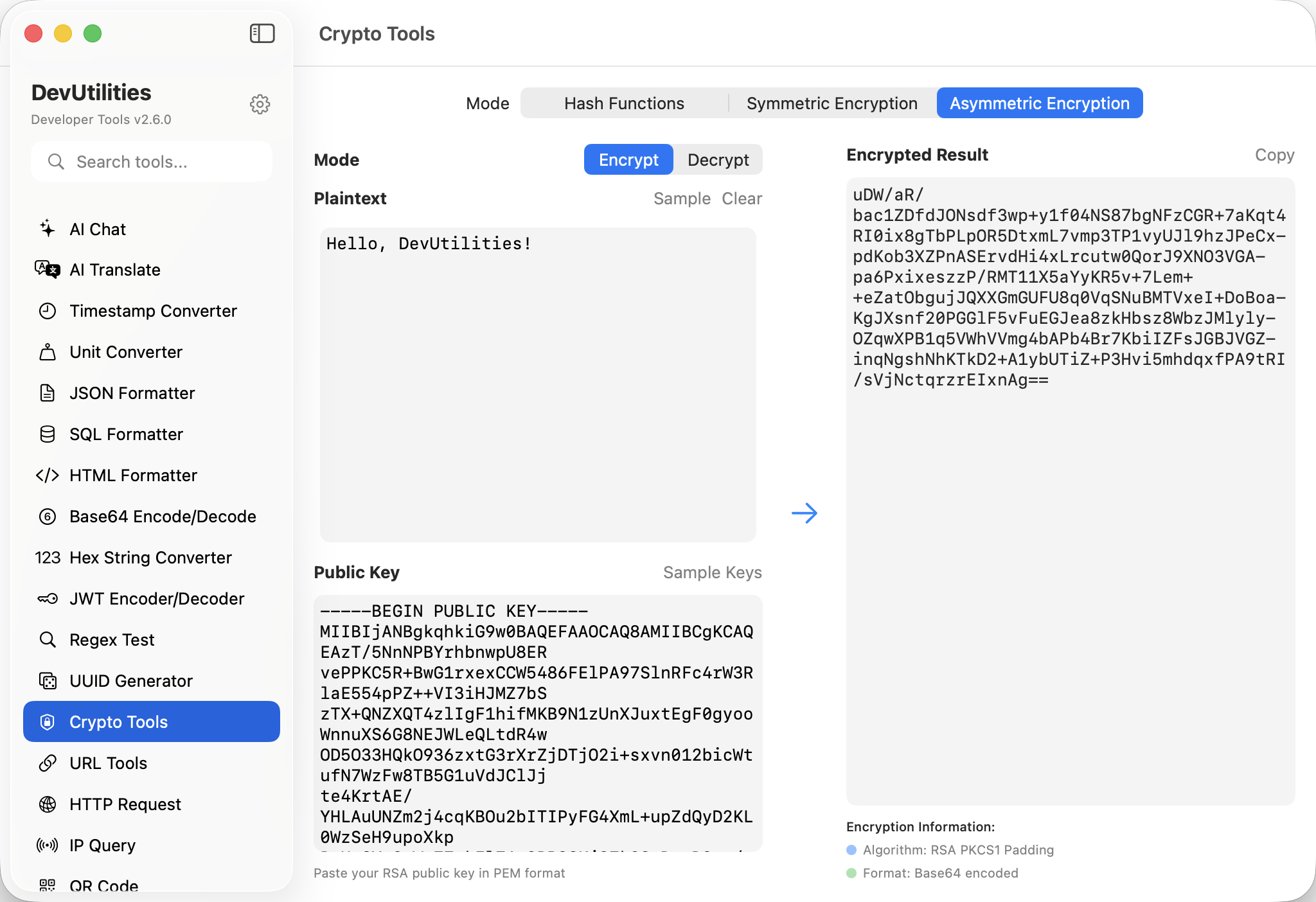
Public-key encryption / decryption. PEM keys imported via Apple's Security framework.
Three-tab UI
One screen per primitive: hash, symmetric, asymmetric. Consistent input/output panels make the muscle memory transfer.
Key generation
Generate AES keys with a click. RSA key pairs come from your existing PEM material; the tool doesn't generate keys it can't audit.
Real-time hashing
Type into the input; the hash updates instantly. No "hash" button — the result follows the keystrokes.
Hex or Base64 outputs
Toggle for the format your downstream consumer expects.
First-party crypto
CryptoKit for hashes and AES; Security framework for RSA. No third-party crypto libraries; all sandbox-friendly.
Four moves across the suite.
Pick a primitive
Hash, symmetric, or asymmetric. Tabs along the top.
Provide inputs
Plaintext, ciphertext, or message. AES needs a key; RSA needs a PEM.
Run
Encrypt, decrypt, hash. Results appear in the output pane.
Copy
Hex or Base64; copy buttons everywhere.
The work it actually does.
API signature tokens
Generate the SHA-256 / HMAC-SHA-256 signatures third-party APIs require for authentication.
File integrity
Confirm a downloaded file matches its published checksum, in seconds.
Password derivation
Hash candidate passwords against published rules during a security review.
Envelope encryption
Encrypt small payloads with AES-GCM and an ephemeral key for safe transport.
RSA round-trip
Encrypt a session key with the recipient's RSA public key; decrypt with the matching private key.
Crypto fixtures
Produce known-good ciphertexts and hashes for unit tests.
Things people ask before they download.
Which hash algorithms are supported?
MD5, CRC32, SHA-1, SHA-256, SHA-384, and SHA-512. MD5 and SHA-1 are kept for legacy verification, not for new security uses.
What's the symmetric mode?
AES-GCM-256 — authenticated, modern, Apple-recommended. Pairs a 256-bit key with the standard 12-byte nonce.
What about RSA padding?
OAEP via the Security framework, with the standard SHA-256 hash. Suitable for current best practice.
Where are keys stored?
Only in your local session. AES keys live in memory; RSA PEMs are pasted directly. Nothing leaves the machine.
Hex or Base64 output?
Both available; toggle per panel. Hex for human reading, Base64 for transport.
Are the operations local?
Yes. CryptoKit and the Security framework run on-device; there are no servers in the loop.