
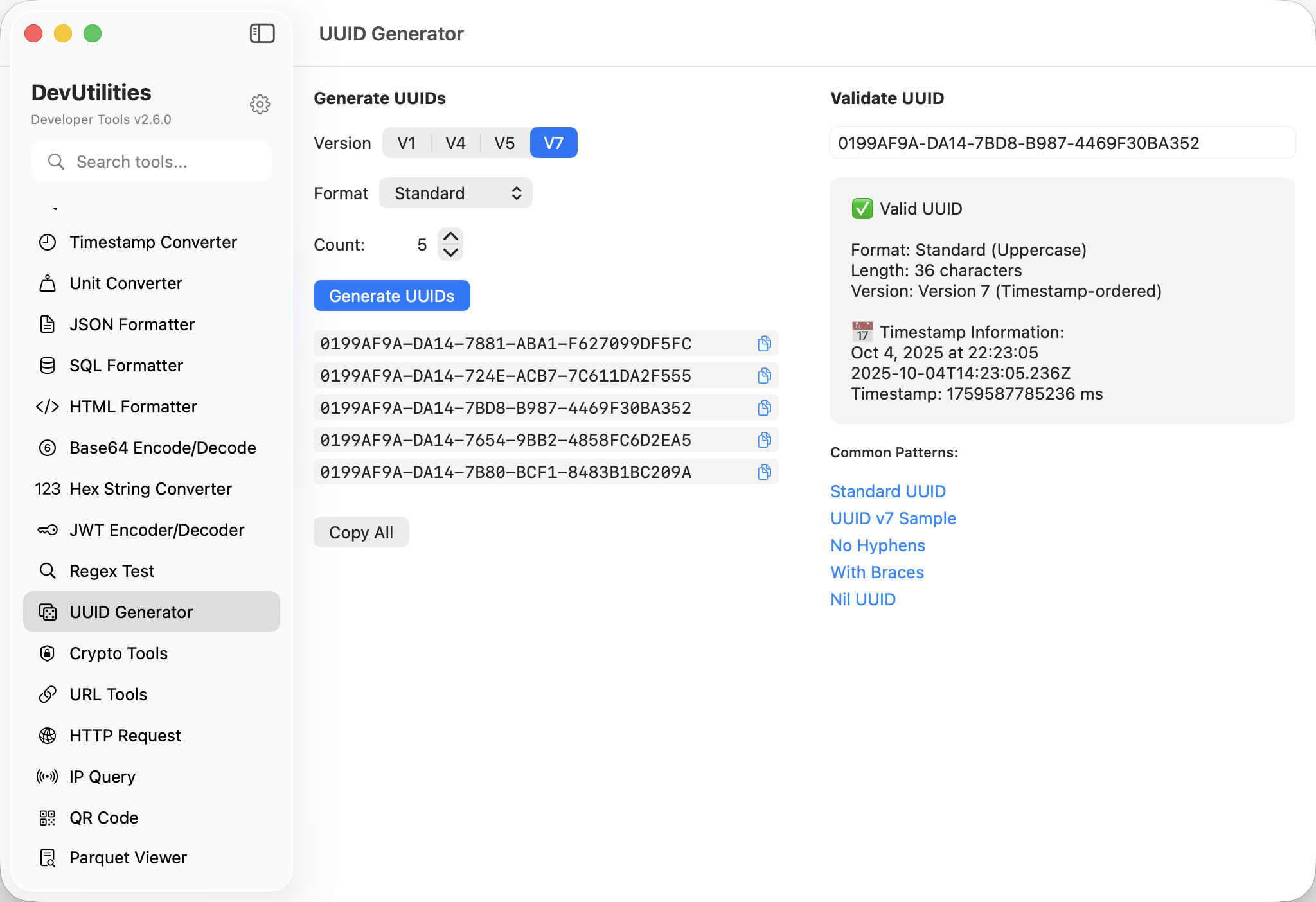
Six things it does well.
v4 — random
The default. Cryptographically random; collision probability essentially nil; what most APIs ask for.
v7 — sortable
Time-ordered with a millisecond timestamp prefix. Index-friendly; database-loving; modern.
v1 — time-based
The classic time-and-MAC variant. Useful where v1 compatibility matters.
v5 — namespaced
Deterministic, derived from a namespace UUID and a name. Useful for stable IDs from input.
Bulk generation
Generate up to a thousand at a time. Output as a list, ready to paste into a seed script.
Timestamp decode
Drop a v1 or v7 UUID and read the timestamp out of it. Same panel; one click.
Four moves to a fresh ID.
Pick version
v4 for random, v7 for sortable, v5 for deterministic, v1 for legacy.
Set count
One, ten, a hundred. The output list grows with the count.
Generate
Click; the IDs appear in a list. Bulk runs are still sub-second.
Copy or decode
Copy individual or all. Drop a v1 / v7 ID into the decode panel to read its timestamp.
The work it actually does.
Seeding tables
Bulk-generate IDs to populate test fixtures or migration scripts.
Sortable inserts
v7 IDs cluster nicely on disk because they sort by time. The index thanks you later.
Deterministic IDs
v5 from a namespace + name gives the same UUID across machines, which is what some imports want.
Timestamp recovery
Decode a v7 from a log line to see when it was minted, without joining to anything.
Cross-format
Generate IDs in standard hyphenated form for APIs that demand that exact format.
Test data
Whip up a thousand IDs for a load test in two clicks.
Things people ask before they download.
Which UUID versions are supported?
v1 (time + MAC), v4 (random), v5 (namespaced SHA-1), and v7 (sortable timestamp + random).
What's the difference between v4 and v7?
v4 is fully random. v7 prefixes the random bits with a millisecond timestamp, so IDs sort chronologically — better for B-tree indexes.
Can I extract a timestamp from a v7 ID?
Yes. The decode panel reads the timestamp prefix and shows the millisecond value plus a human-readable date.
How is v5 generated?
From a namespace UUID and a name, hashed via SHA-1 and formatted to v5 layout. Same inputs, same output, every time.
How many IDs can I generate at once?
Up to a thousand. The output list scrolls; bulk copy includes them all.
Is the randomness cryptographically secure?
Yes. v4 uses the system CSPRNG via SecRandomCopyBytes; v7 uses the same for the random portion.