
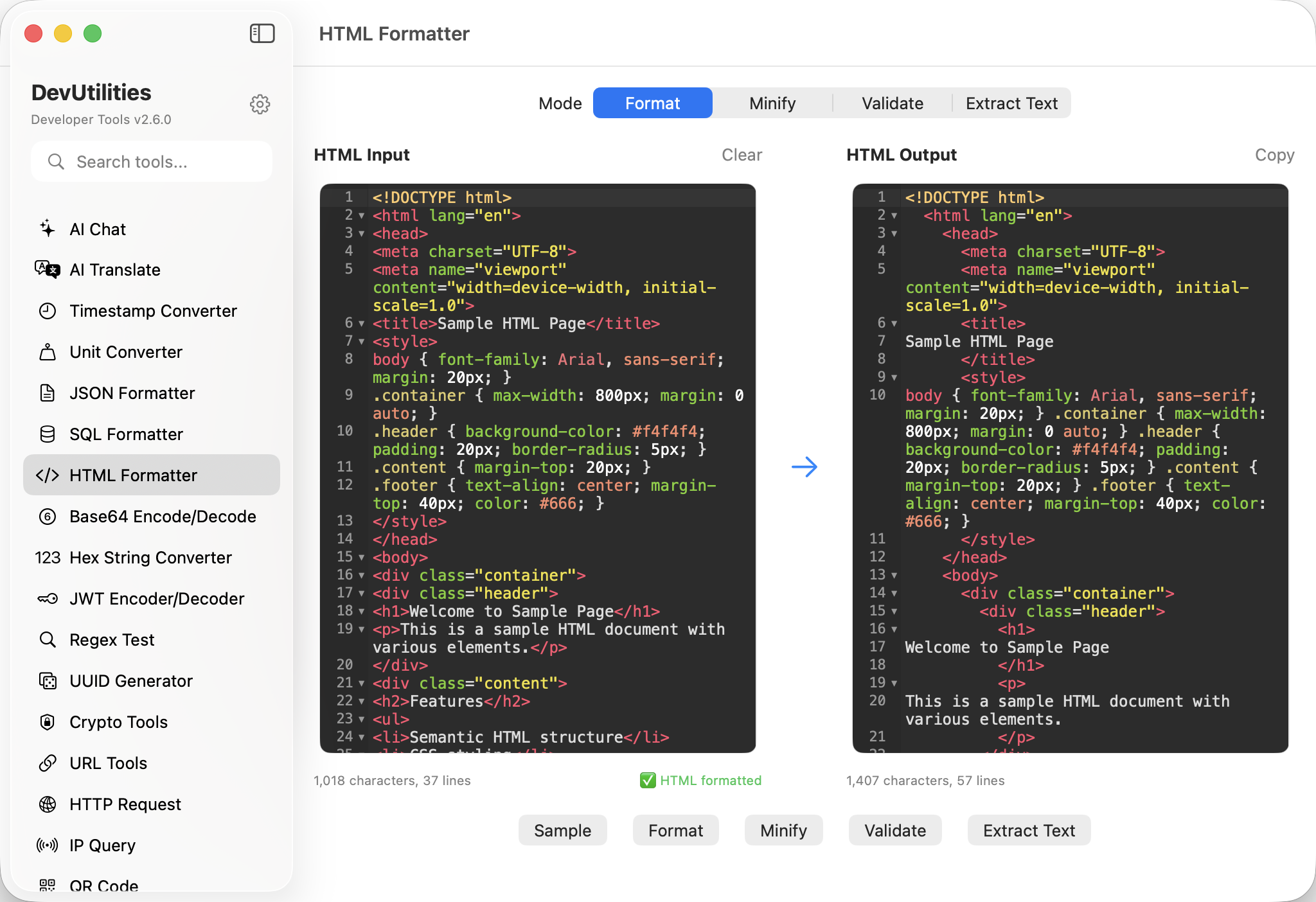
Seven things it does cleanly.
Indent properly
Tag-aware indentation. Void elements (br, img) don't sprout phantom closing tags.
Minify
Strip comments and whitespace; preserve structure. Useful for embedded HTML in emails or docs.
Side-by-side diff
CodeMirror diff editor. Both sides auto-format; differences light up.
Real-time
Live formatting as you type. Errors are surfaced inline; the structure pane updates immediately.
Comments & CDATA
Both preserved through format and minify. Round-trip is loss-free.
Character & line metrics
Both sides of the diff display character and line counts.
State persistence
Last input and last diff stick across sessions.
Four moves across markup.
Paste markup
From a CMS, an inspector, or an email template.
Format or minify
Indent for reading; minify for embedding. Toggle modes anytime.
Diff
Compare two templates. Both auto-format; differences highlight.
Copy
One-click copy on either side.
The work it actually does.
CMS markup
Reformat the WYSIWYG output before pasting it into a structured template.
Email HTML
Minify before sending; format before reading the version your test inbox got.
Spotting drift
Catch the missing aria-* attribute or the changed class name across two snapshots.
Test fixtures
Format inspector dumps for use as test fixtures, with stable ordering.
Migration review
Compare an old and new template to spot what really moved.
Inline literals
Minify into a single-line literal for an inline embed.
Things people ask before they download.
What does formatting actually do?
Tag-aware indentation. Void elements stay void; comments and CDATA round-trip; attribute order is preserved.
Is it tolerant of malformed input?
Reasonable amounts. Common issues (missing close tags, unquoted attributes) are reported with a line number and tolerated where unambiguous.
How does diff handle whitespace?
Both sides auto-format first, so cosmetic differences don't pollute the result. Real structural changes are what light up.
What's the minify mode for?
Producing compact HTML for embedding in JS strings, JSON payloads, or email templates that benefit from a single-line form.
Does it preserve the doctype?
Yes. The doctype, comments, conditional comments, and CDATA blocks all survive both format and minify.
Does this require network access?
No. HTML formatting is fully local.