
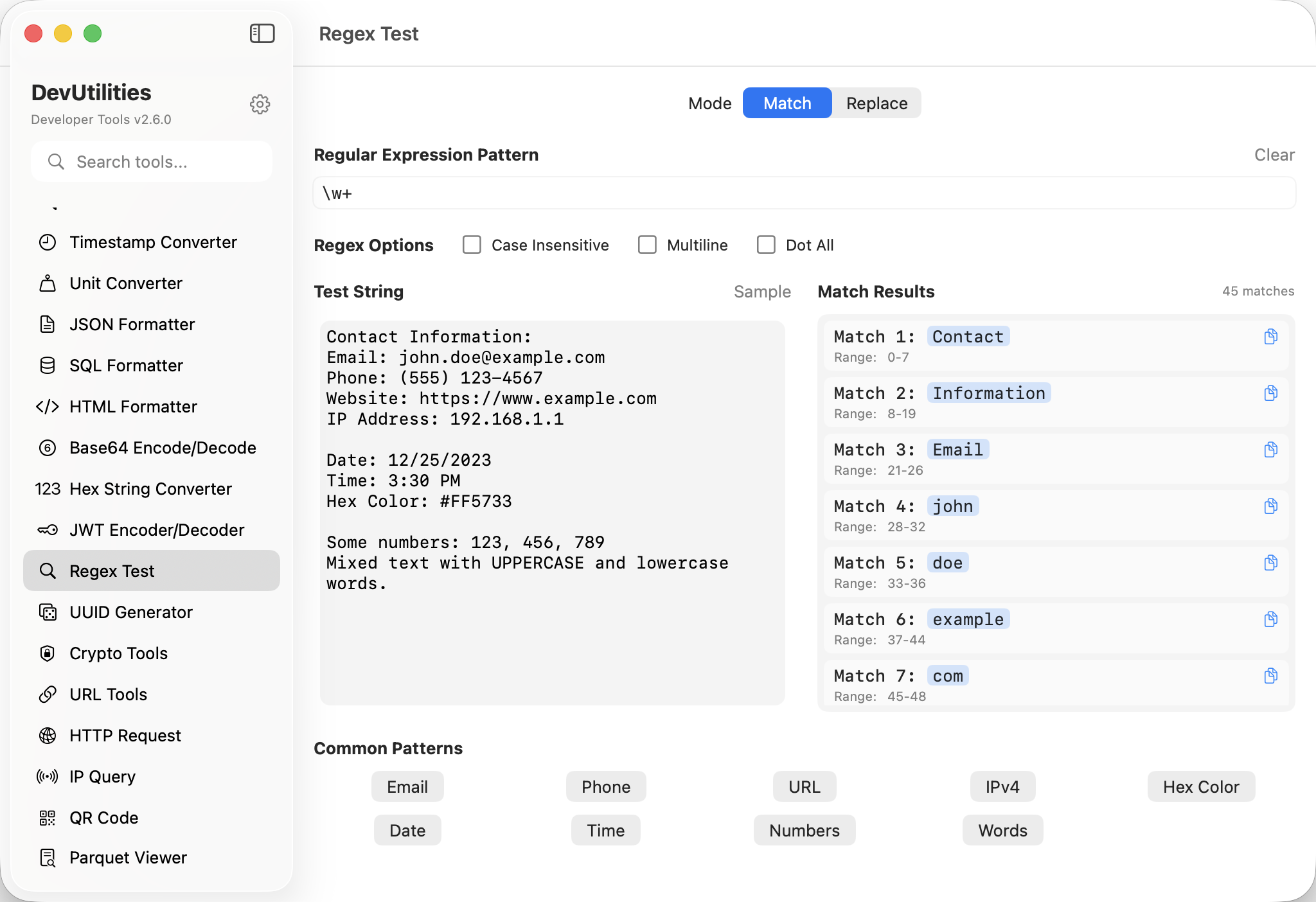
Six things it does cleanly.
Live matching
Type the pattern; matches highlight in the input as you write. No "run" button.
Capture groups
Indexed and named groups listed in a side panel — the value of each, per match.
Flags
i case-insensitive, m multiline, s dotall, x extended. Toggle visibly.
Common patterns
A library of templates — email, URL, IP, ISO date, hex color, semver — one click to insert.
Match list
Every match listed with its position; click to scroll into view.
Pattern errors inline
Bad regex? The error explains where the parser tripped, in plain language.
Four moves to a working pattern.
Drop input
Paste the text you want to match against.
Write the pattern
Type the regex; matches highlight in the input as you go.
Adjust flags
Tick case-insensitive or multiline as needed; the result re-evaluates.
Read groups
Side panel shows captured groups — indexed and named — for each match.
The work it actually does.
Pulling fields
Extract timestamps, IPs, status codes, paths from log lines with named capture groups.
Email / URL / IP
Sanity-check user input against well-known patterns from the template library.
Find & replace
Verify a regex matches exactly what you intend before running it across a codebase.
Semi-structured text
Tease structure out of CSVs, free-text notes, or migration scripts.
Edge cases
Try the empty string, the multi-line input, the Unicode quirk — without writing a test harness.
Reading patterns
Visualise what a complex regex actually matches when you inherit one from a colleague.
Things people ask before they download.
Which regex flavour?
ICU-flavoured, via NSRegularExpression. The patterns you'd write in Swift, Objective-C, or many command-line tools work directly.
Are named groups supported?
Yes. Named groups list alongside numbered ones; each match's named values appear in the groups panel.
What's in the template library?
Email, URL, IPv4, IPv6, ISO 8601 date, hex color, semver, integer, decimal, phone — and a handful of others.
How does it handle catastrophic backtracking?
The matcher has a sane timeout. Patterns that runaway are flagged so you can refactor; nothing freezes the UI.
Multiline mode?
Toggle the m flag; ^ and $ then anchor per-line. s (dotall) is also available.
Does this require network access?
No. Regex testing is fully local.