
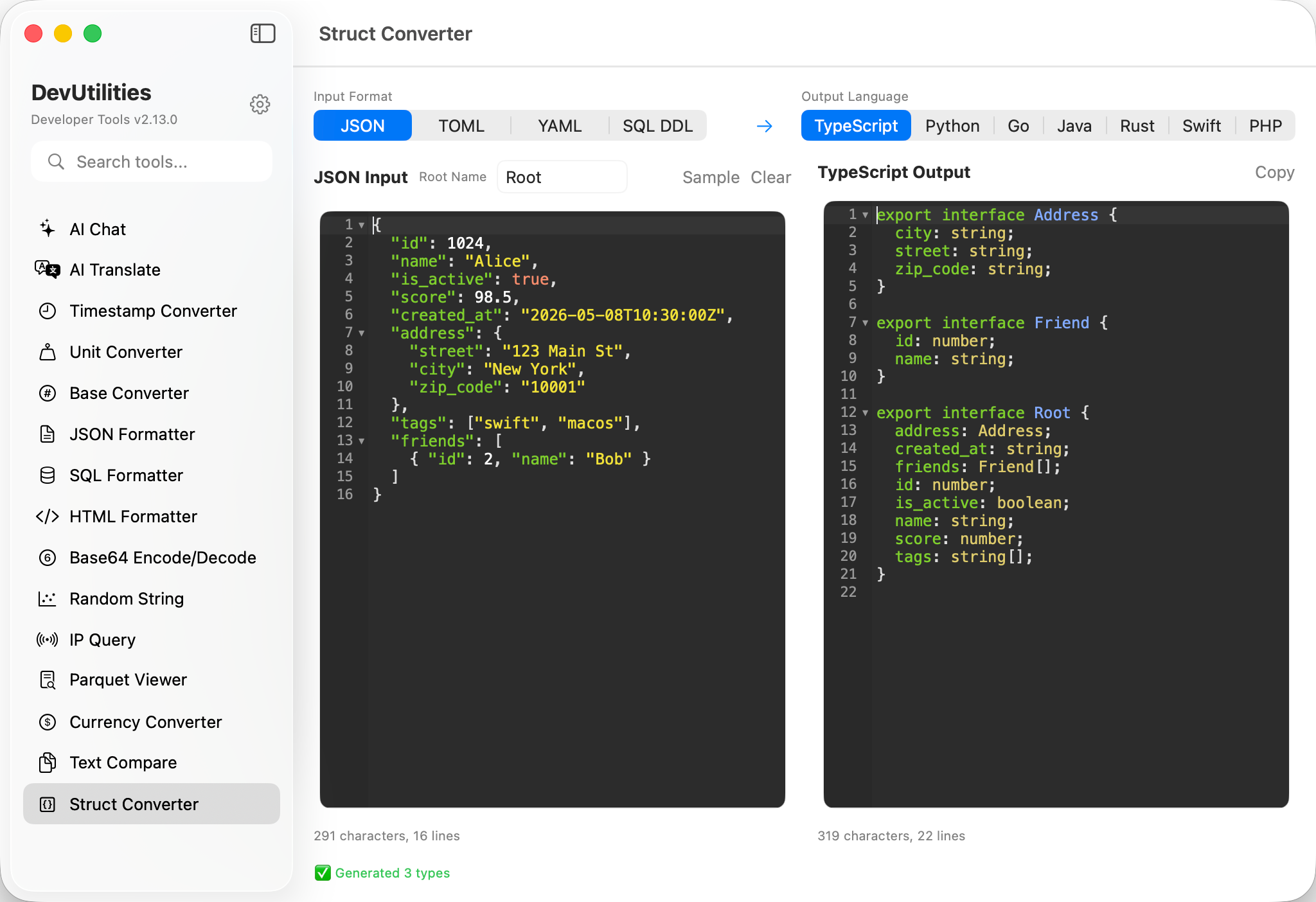
Six things it does cleanly.
Four input formats
JSON via Foundation; TOML with tables, dotted keys, and arrays of tables; YAML block-style; SQL DDL parsed multi-statement.
Seven output languages
TypeScript interface, Python @dataclass, Go struct, Java POJO, Rust serde struct, Swift Codable struct, PHP typed class.
Smart type inference
Strings, integers, doubles, booleans, ISO 8601 dates, arrays, nested objects — and nullable fields when data is missing or null.
Nested structs
Every nested object and array-of-objects becomes a sub-type, named after the field with naive singularization for arrays.
Idiomatic naming
camelCase for TS/Swift/PHP, snake_case for Python/Rust, PascalCase for Go/Java — with JSON tags, serde renames, and CodingKeys preserving the originals.
SQL-aware
Parses CREATE TABLE blocks, maps INT/VARCHAR/DECIMAL/TIMESTAMP/JSON to language-native types, respects NOT NULL.
Four moves to typed code.
Pick the input format
JSON / TOML / YAML / SQL DDL. The editor switches highlighting accordingly.
Pick the output language
TypeScript / Python / Go / Java / Rust / Swift / PHP. Output regenerates instantly.
Paste your sample
Drop in a JSON response, a TOML config, a YAML block, or a CREATE TABLE statement.
Copy the type
One click on Copy in the right pane; paste into your project.
The work it actually does.
Response shape
Paste a representative API response; get back a typed model for your client.
Schema to model
CREATE TABLE → struct or class with column types and nullability already mapped.
TOML / YAML config
Generate a typed config struct from your config.toml or values.yaml.
Cross-language port
Move types between TypeScript, Go, Rust, and Swift without retyping every field.
Read the JSON, fast
Hand a generated interface to a new collaborator instead of a 400-line example.
API design
Sketch a JSON shape, generate types in every language at once, see what feels best.
Things people ask before they download.
How are nested objects handled?
Each nested object becomes its own struct/interface, named after the field. Arrays of objects use a singularized field name (e.g. friends → Friend).
What about optional fields?
A field is optional when its value is null, when it's missing from some elements of an array of objects, or when the SQL column lacks NOT NULL. Each language uses its native optional shape — ?, Option<T>, Optional[T], *T.
Are dates auto-detected?
Yes. ISO 8601 strings (YYYY-MM-DD[THH:MM[:SS]][Z|±HHMM]) become Date / time.Time / DateTime<Utc> / datetime / Instant / \DateTimeImmutable in their respective languages.
Does it preserve original key names?
Yes. Even when the field name is renamed to fit language conventions, the original key is preserved via json:"…" tags (Go), #[serde(rename = "…")] (Rust), CodingKeys (Swift), or quoted property names (TypeScript).
What about TOML arrays of tables?
Supported. [[servers]] blocks merge fields and become [Server] in the output schema.
How big can the input be?
Conversion is synchronous and runs locally; samples in the megabytes are fine. Nothing leaves the machine.