
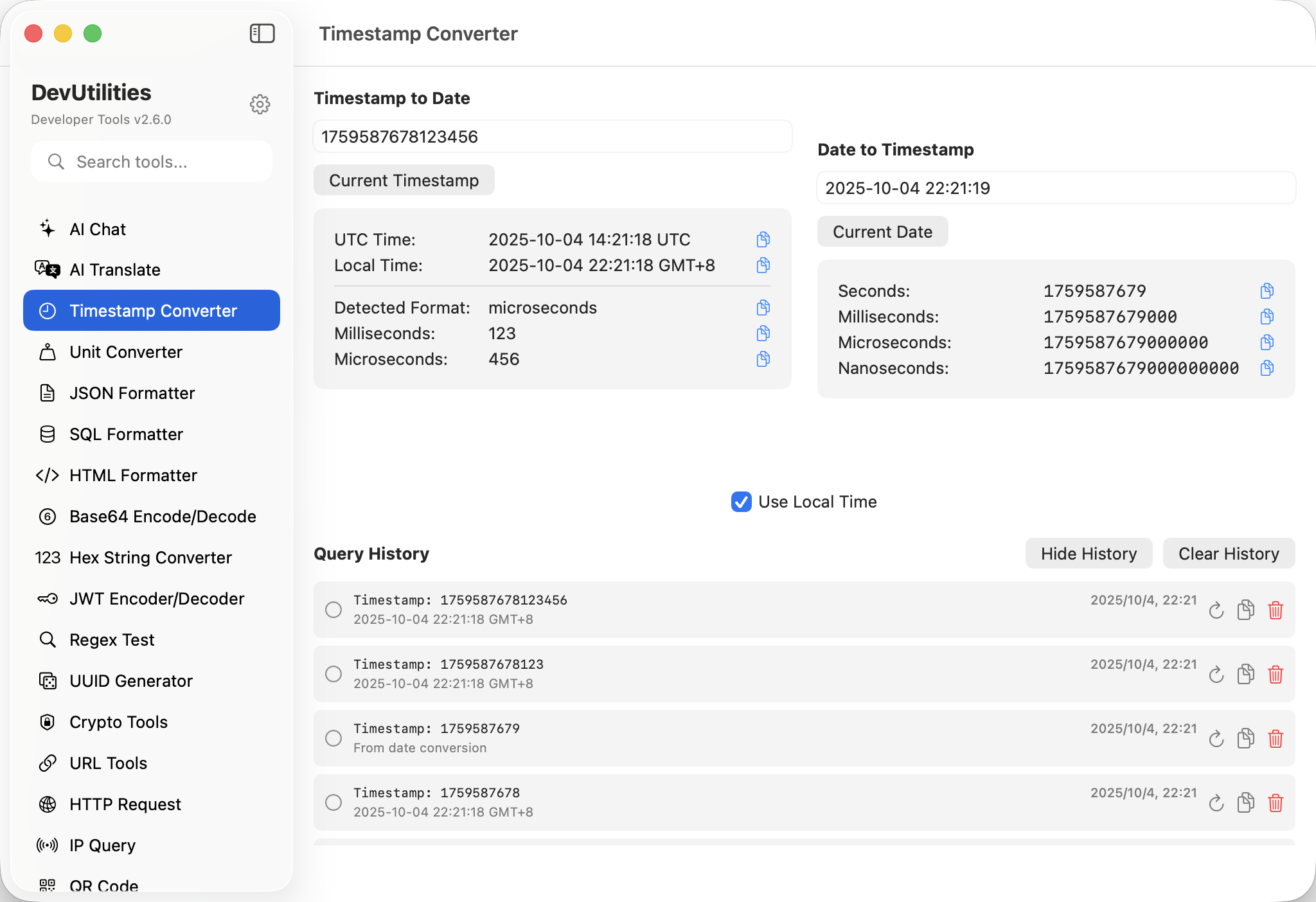
Eight things it gets right.
Bidirectional conversion
Drop a timestamp, get a date. Drop a date, get a timestamp. Both inputs live in the same panel; toggle direction in your head.
Seconds & milliseconds
Auto-detects whether your input is in seconds or milliseconds. 1746662400 and 1746662400000 both land on the same date, the right way.
Every IANA timezone
UTC, your local zone, Pacific/Honolulu, Asia/Shanghai — the full tz database. Daylight-saving handled, so March is March.
Multiple formats
ISO 8601, RFC 2822, custom strftime patterns, locale-aware short and long. Pick once; it sticks.
Conversion history
Recent conversions persist between sessions. Re-open the app and your last twenty timestamps are still listed.
Live current time
The current Unix timestamp ticks at the top — copyable, always fresh, always in your local zone.
One-click copy
Every output has a copy button. The clipboard gets the value alone, not the surrounding label.
Real-time validation
Typing an invalid timestamp shows the error inline; valid input updates instantly. No "convert" button, no spinner.
Four moves from log to legibility.
Paste the value
Drop a Unix timestamp from a log, an API response, or a database row. Auto-detection covers seconds and milliseconds.
Pick a timezone
Local, UTC, or any IANA zone. Daylight-saving boundaries are handled automatically.
Choose a format
ISO 8601 by default. Switch to RFC 2822 or a custom pattern when an integration demands it.
Copy or revisit
One-click copy on the output. Recent conversions stay in the history strip across sessions.
The work it actually does.
Application logs
Convert epoch timestamps embedded in log lines to readable dates without leaving the editor.
Cross-zone events
Translate a UTC server timestamp into the user's local timezone to reproduce a support ticket.
Request & response
Convert between epoch payloads and ISO 8601 dates for APIs that don't agree with each other.
Migration sanity checks
Confirm that a stored created_at column actually means what your seed script said it did.
Cron and one-shots
Translate a desired wall-clock time into the Unix timestamp a job runner expects.
International apps
Plan timezone-correct displays — knowing exactly what time your users will see when their region rolls over.
Things people ask before they download.
What is a Unix timestamp?
The number of seconds (or milliseconds) elapsed since 00:00:00 UTC on 1 January 1970. It's timezone-independent and ubiquitous in computer systems.
Does this handle milliseconds?
Yes. The converter auto-detects whether your input is in seconds or milliseconds and converts accordingly. Both formats round-trip cleanly.
How does timezone conversion work?
Every IANA timezone is supported. Daylight-saving boundaries are handled by the system tz database — March means March, even when the clocks shift.
Can I see my conversion history?
Yes. The most recent conversions stay in the history strip and persist between sessions, so the timestamp you decoded yesterday is still there when you reopen the app.
What date formats are supported?
ISO 8601, RFC 2822, locale-aware short and long, and custom strftime patterns. The format you pick sticks for future conversions.
Is the current timestamp always visible?
Yes. A live, copyable Unix timestamp ticks at the top — handy for generating fresh values during testing or scripting.
Does this require network access?
No. Timestamp conversion is fully offline. The tool never reaches out for anything.